 S3 Enterprise
3 screens
Home, desk, approvals
The three pages that show what needs someone: Home for everyone, the Management desk for the owners, and Approvals for whoever must say yes. The pictures are the demo company (Foundry Valves) after the test runs, so the names and numbers are made up. For how waiting work is counted, read How work queues work.
Home
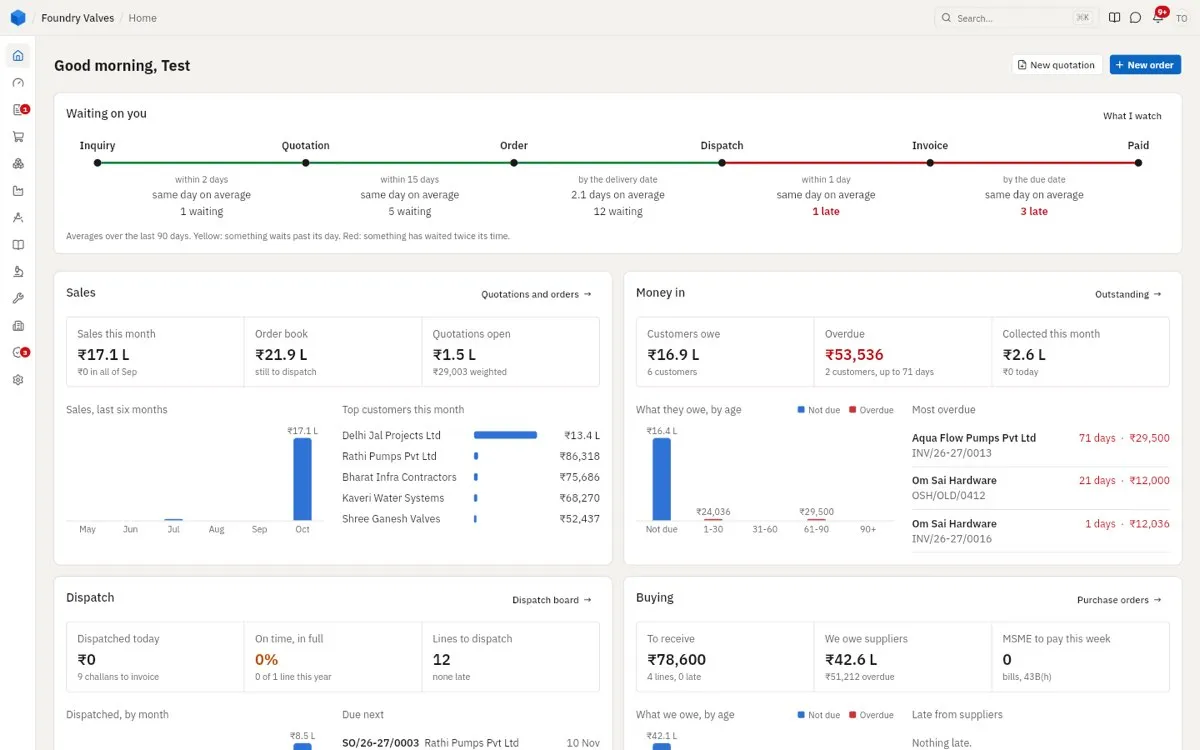
The first page after signing in. Waiting on you follows a sale from inquiry to paid: how many wait at each step, how long each step takes on average against its target - yellow when something waits past its day, red when it has waited twice as long. Below, a card for each part - sales, money in, dispatch, buying, stores, making - with its figures, a chart, and what is most overdue, each opening its list. What I watch picks the cards.
Management desk
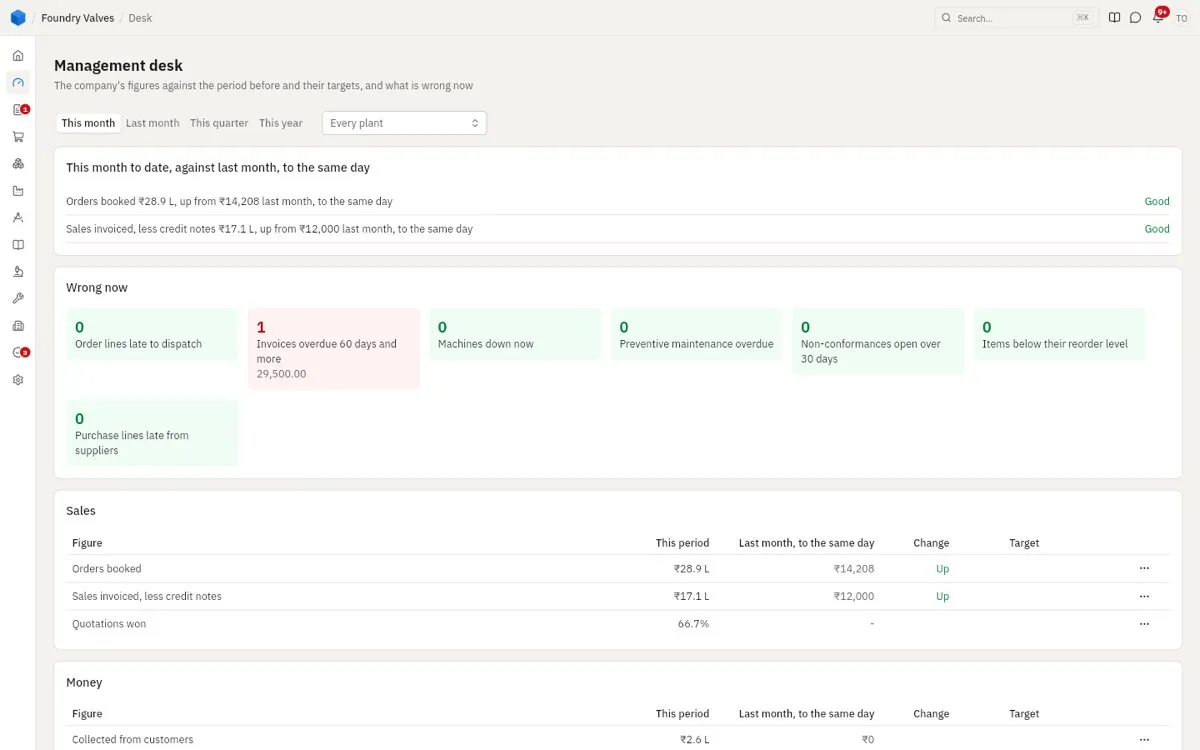
The owners' view, for this month (or last month, the quarter, the year) against the period before and the targets: the biggest moves; Wrong now - order lines late, invoices overdue 60 days, machines down, maintenance overdue, non-conformances open, items below reorder, purchases late; then the scorecard by area (sales, money, delivery, making, quality, buying, stores, maintenance) and twelve months of sales and making. Every figure opens its report; every wrong thing its list. Every plant or one plant alone.
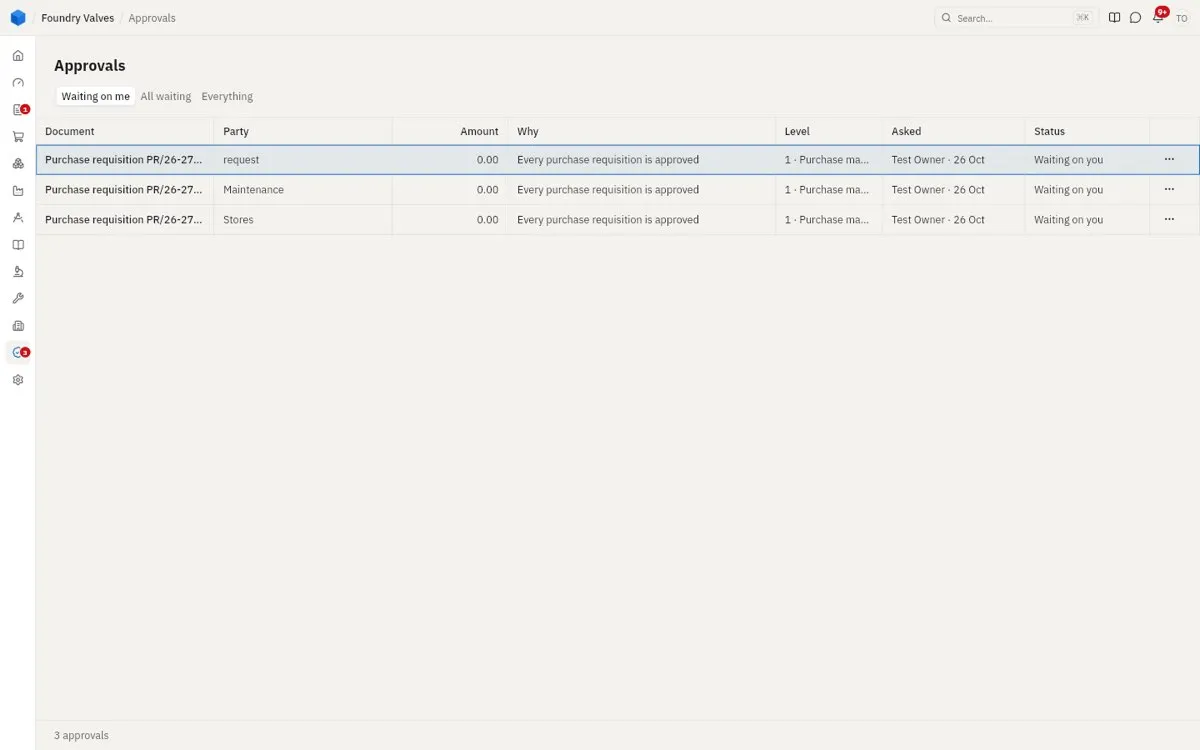
Approvals
Everything waiting for someone's OK under the approval rules - a requisition, an order over its limit, a discount over 10% - with why it needs approval, its level, who asked. Waiting on me shows yours; approve or reject from the ... menu. The red count on the rail counts them.